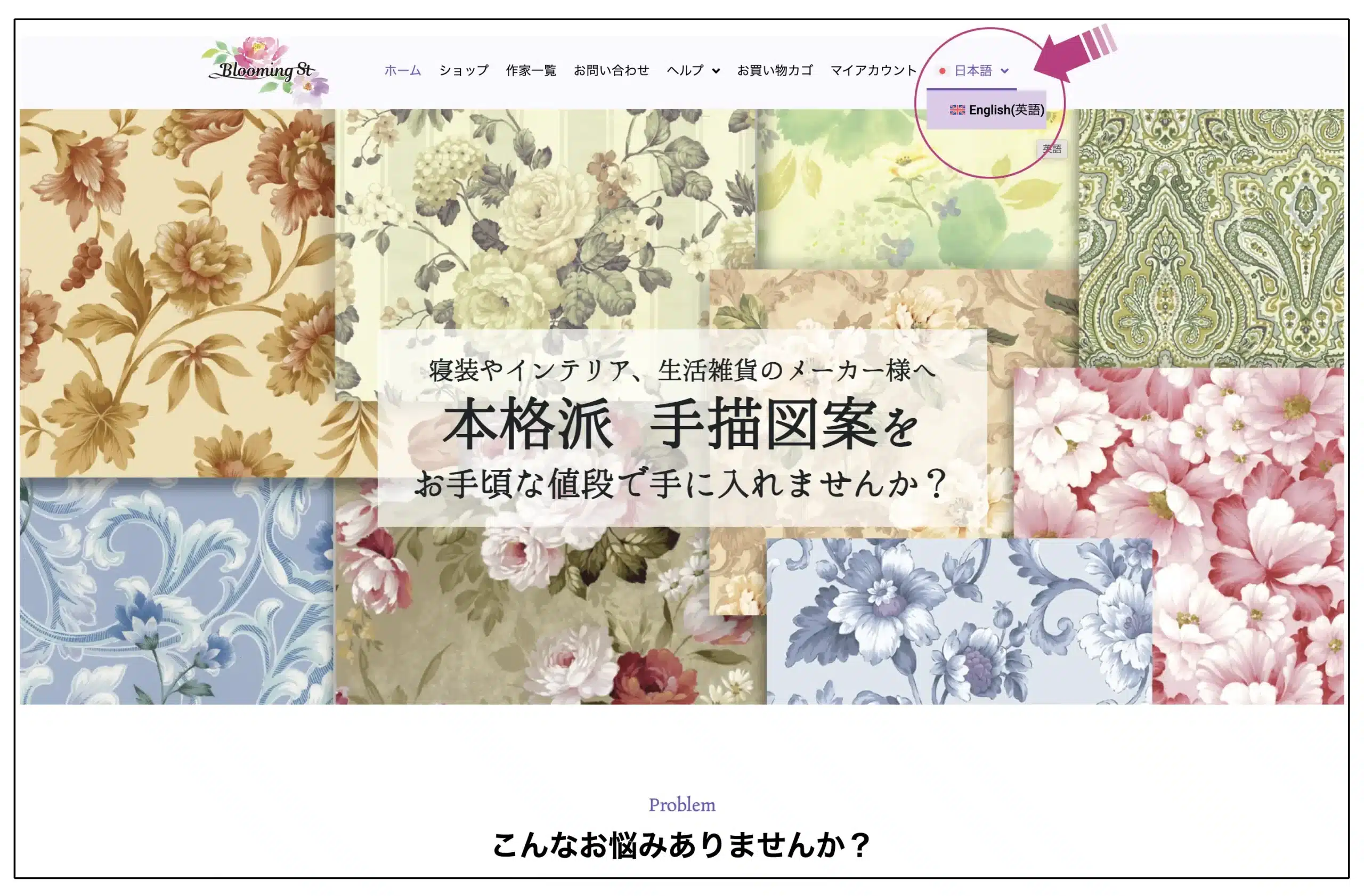
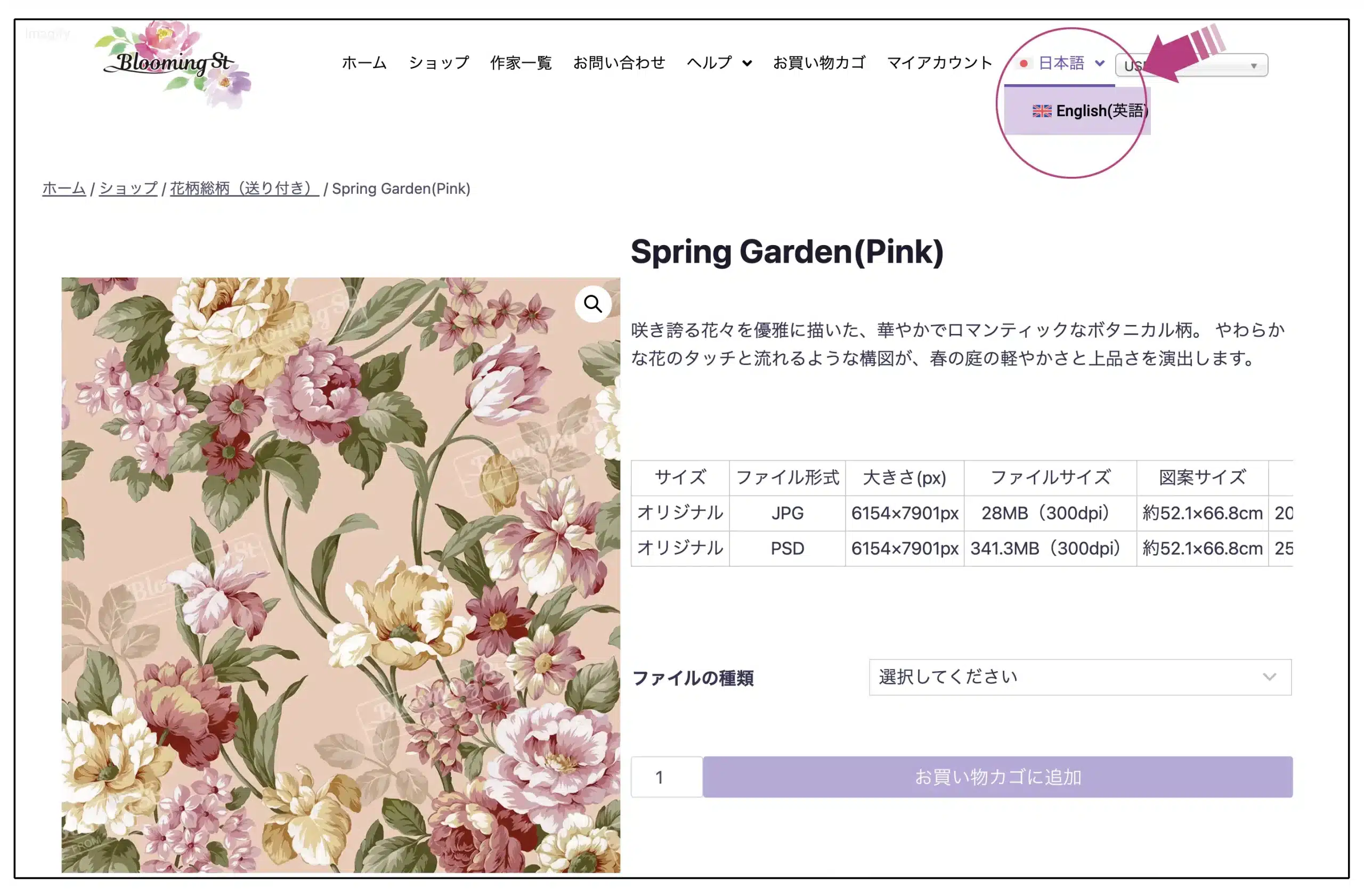

You can select either Japanese or English from the “Language” option at the top right of the site.
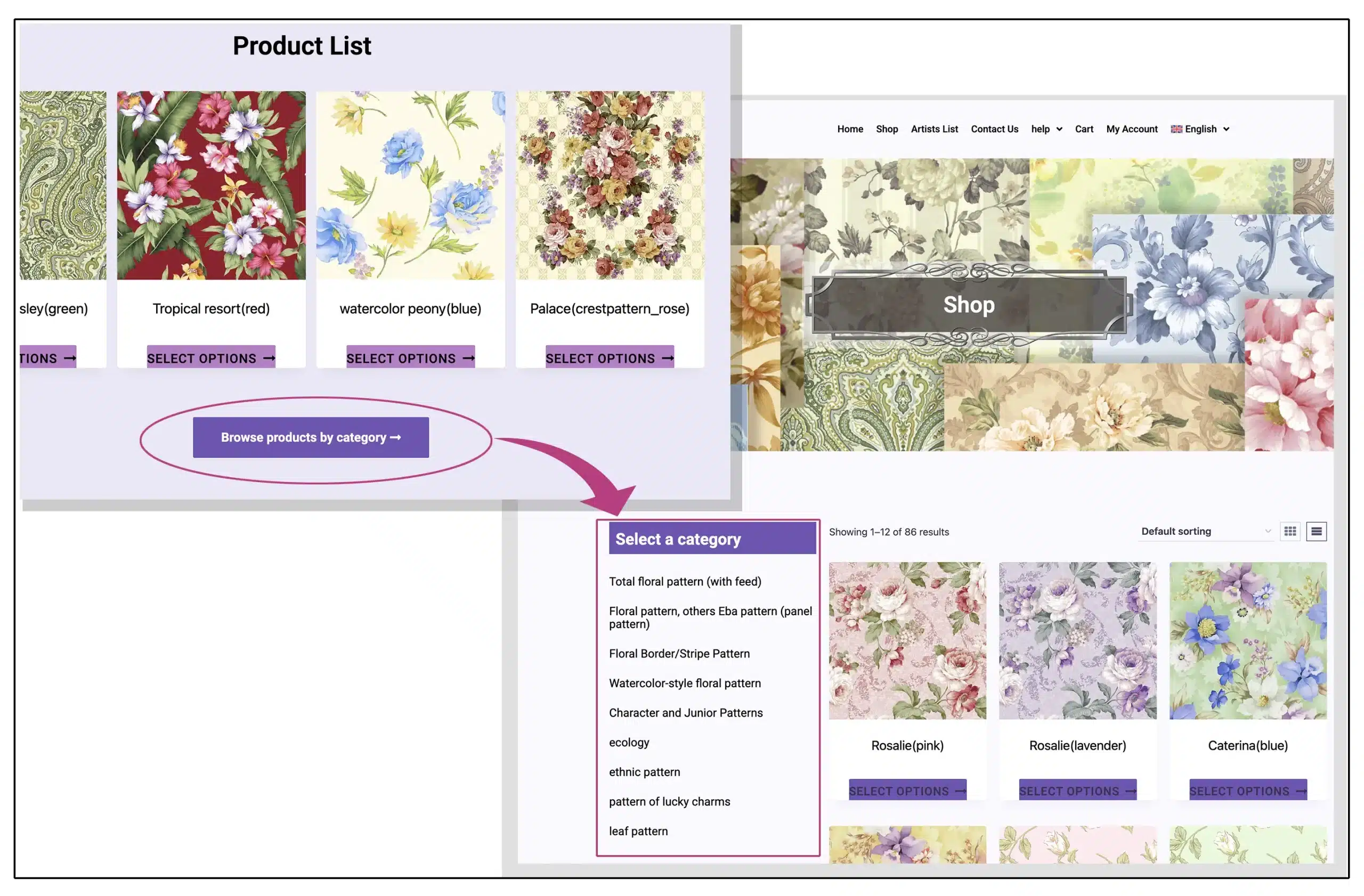
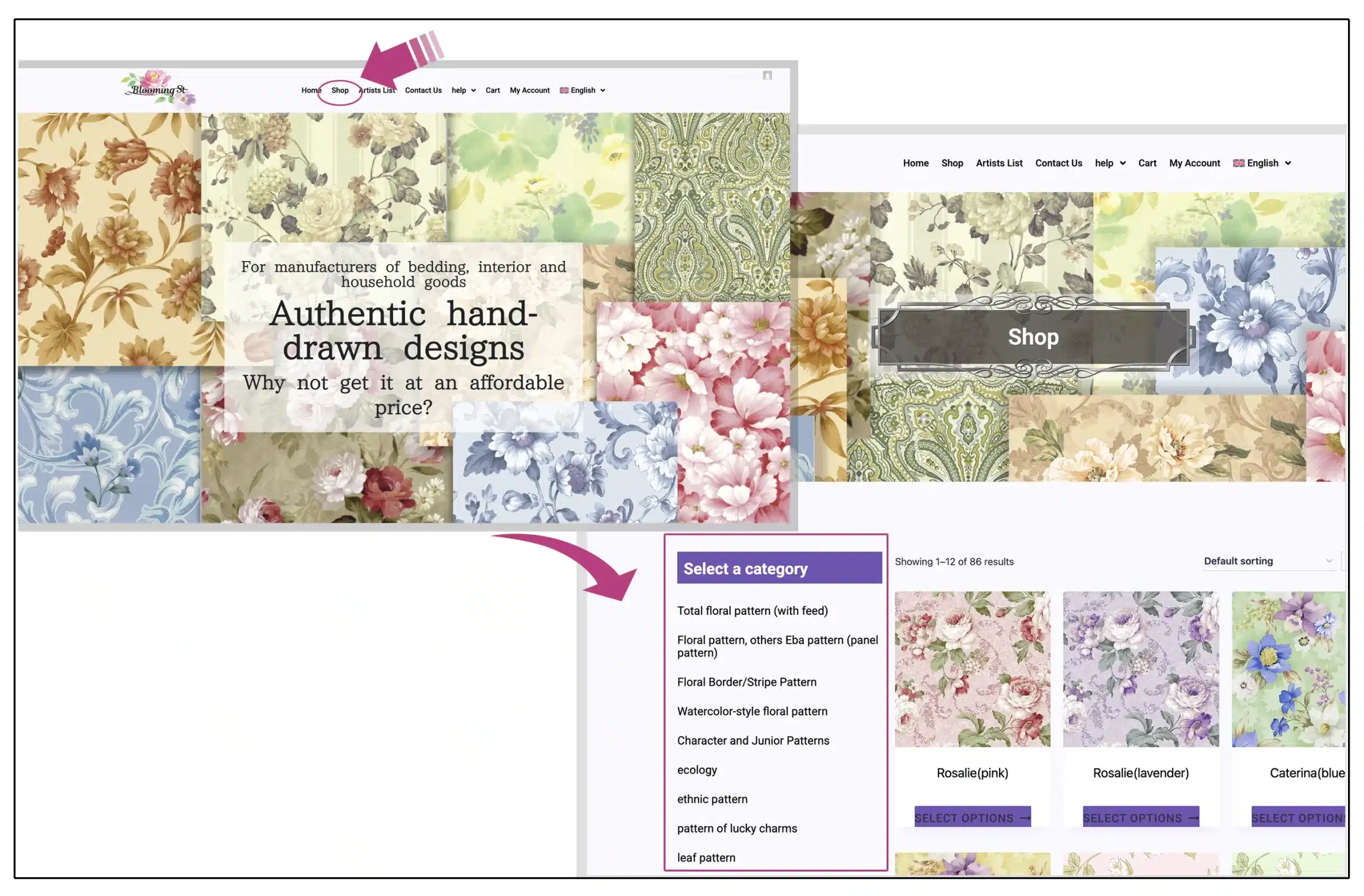
Go to the shop page via the “View more products by category →” link in the product list or the “Shop” link in the top navigation, and select your preferred pattern category.
Clicking on a pattern that appeals to you on the category page will take you to the details page for that pattern.
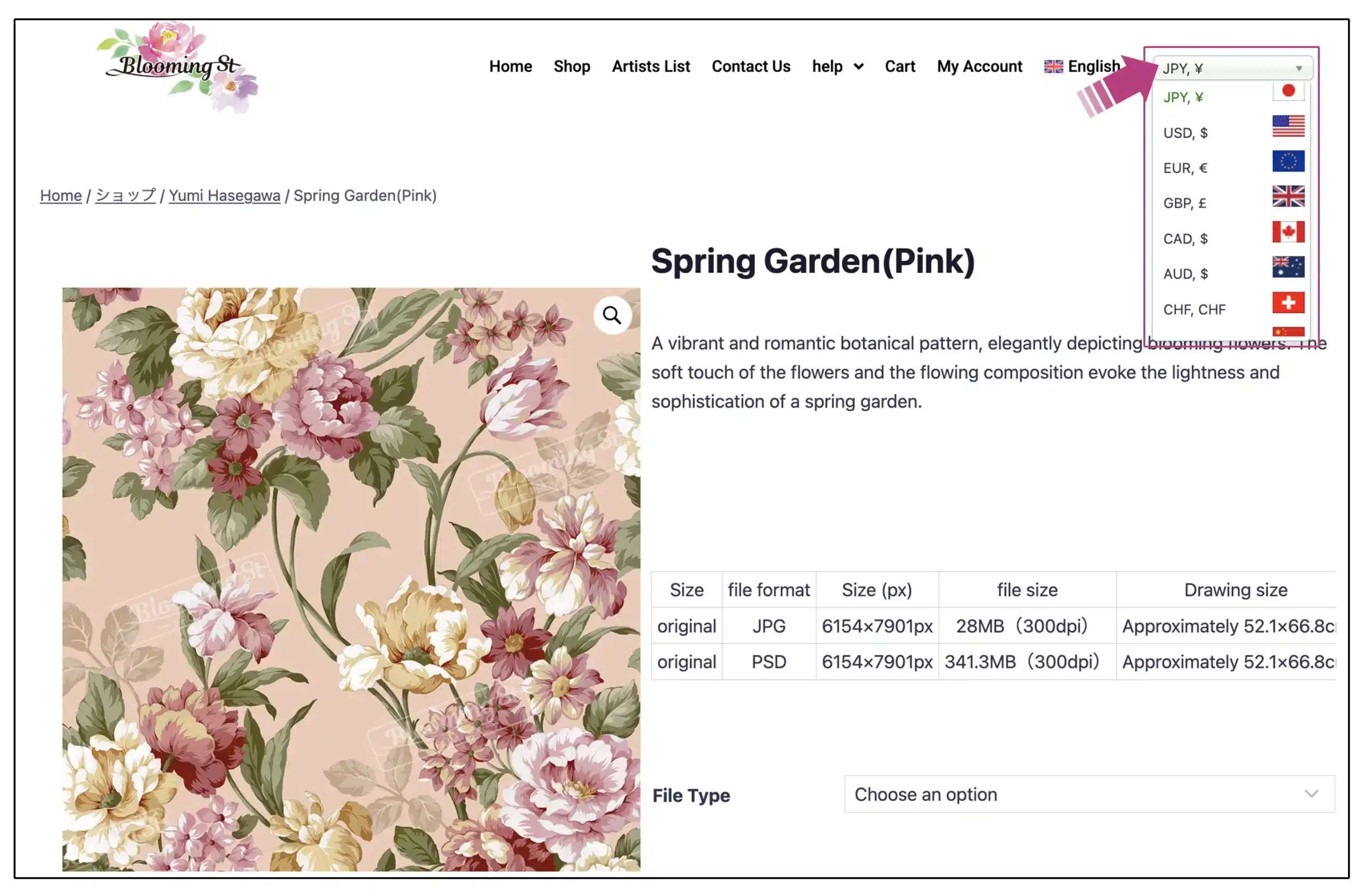
Please select your preferred currency using the “currency switcher” at the top of the site. Prices will be displayed in the selected currency.
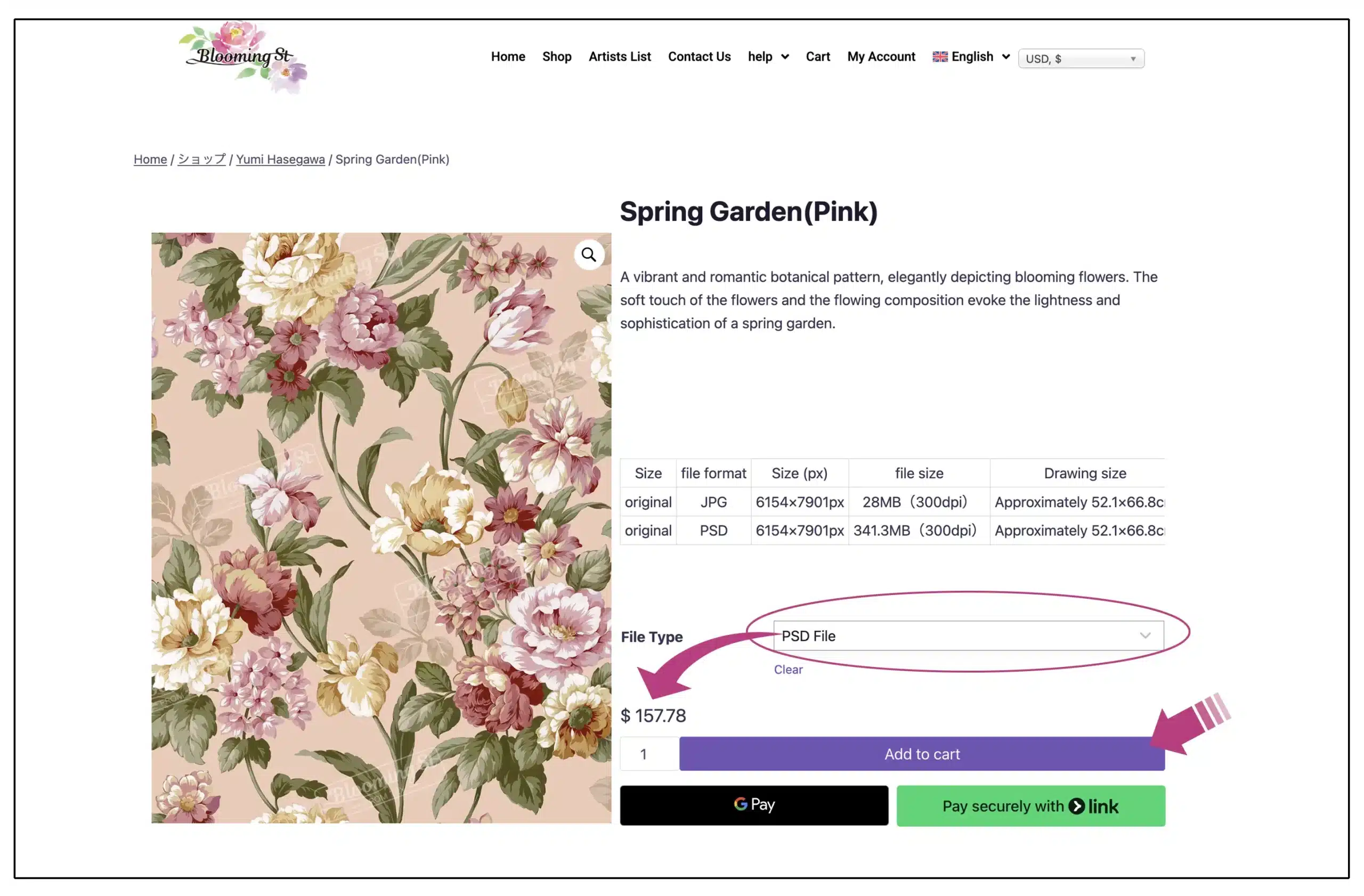
Please select either JPG or PSD under “File Type” on the product page. The price will be displayed in the currency you selected in Step 3. Then, click “Add to Cart“; “View Cart” will appear at the top of the page, allowing you to review the contents.
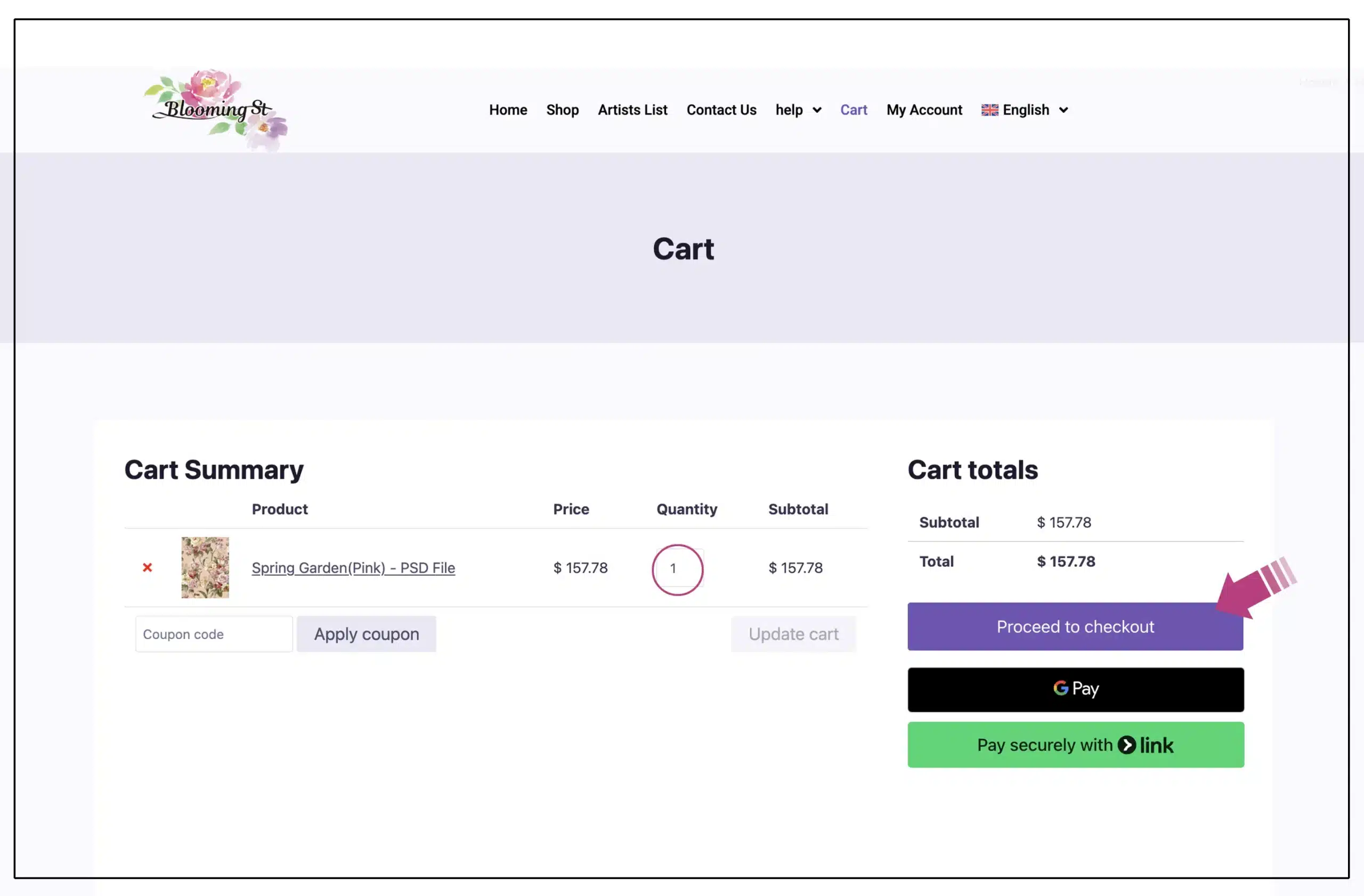
On the shopping cart page, you can review the items you have added. If the items are correct, please proceed to payment. If you have added an item by mistake, you can remove it from the cart by clicking the “X” button. Please set the quantity to 1.
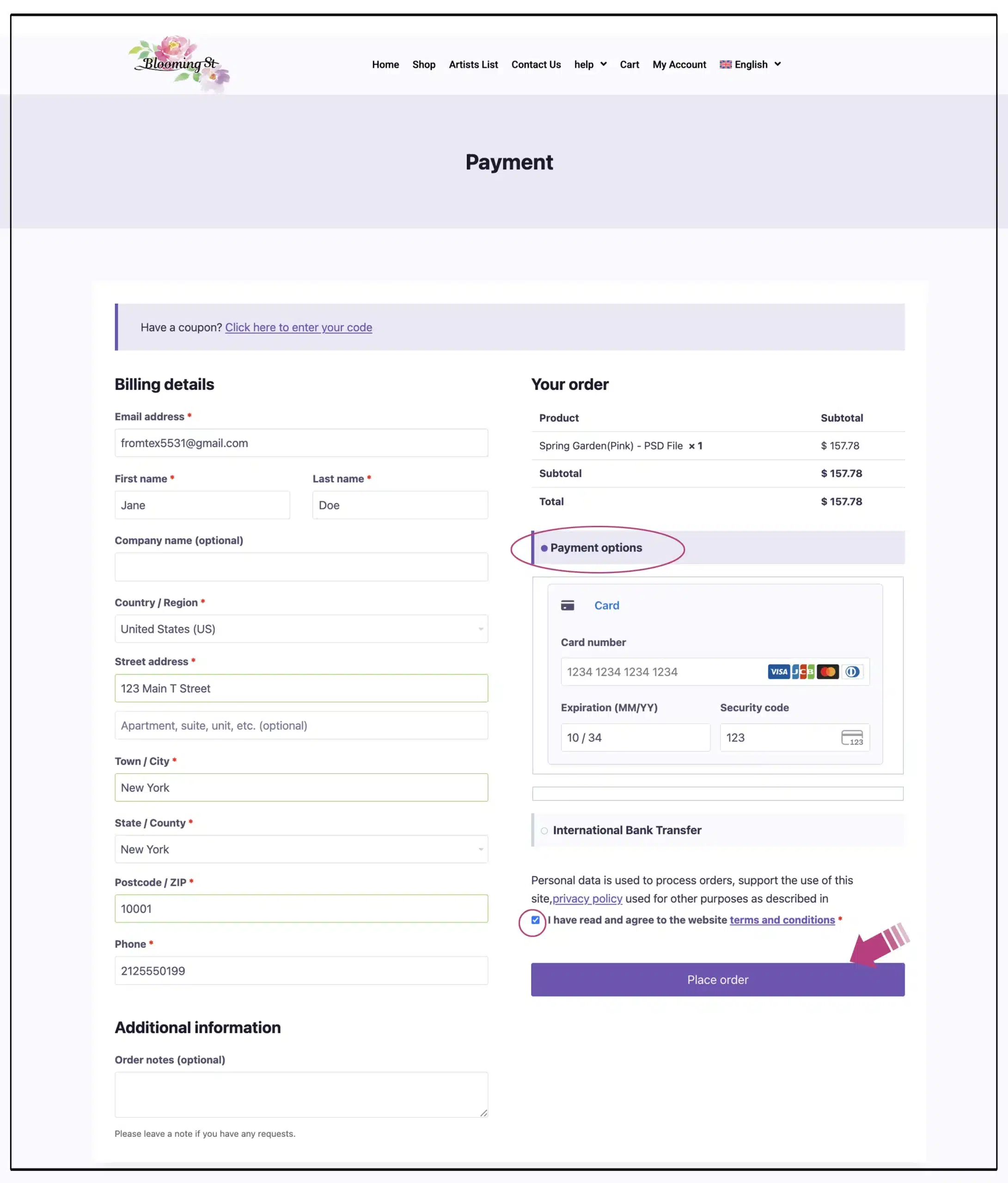
On the payment page, we offer two payment methods: credit card payment and bank transfer.
<Credit Card Payment>
※ This is the recommended payment method, as it allows you to receive the product sooner.
Please enter your name, email address, and address, and then enter your credit card information.
Check the box to indicate that you have read and agreed to the site’s Terms of Use, and then click “Place Order.”
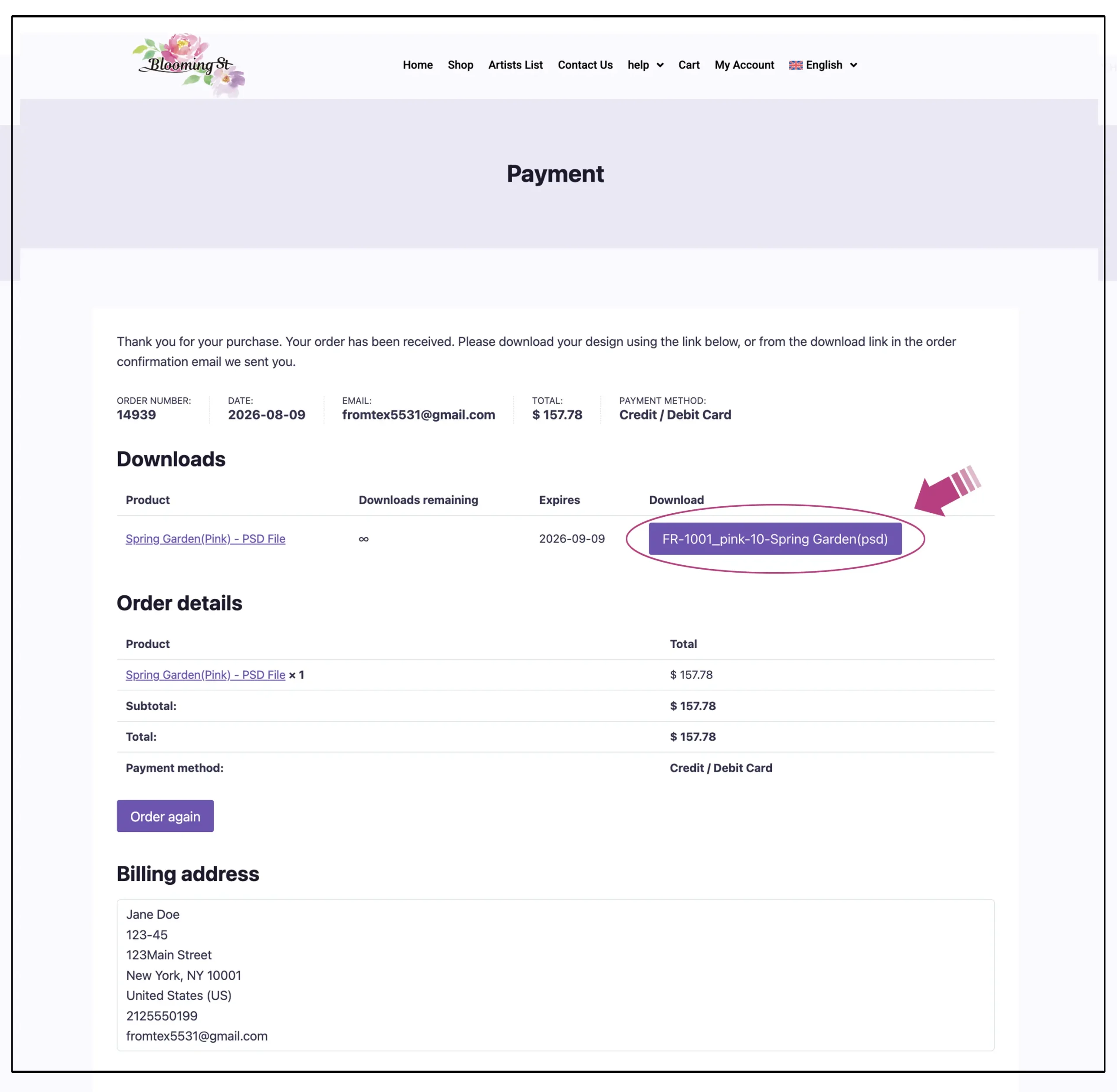
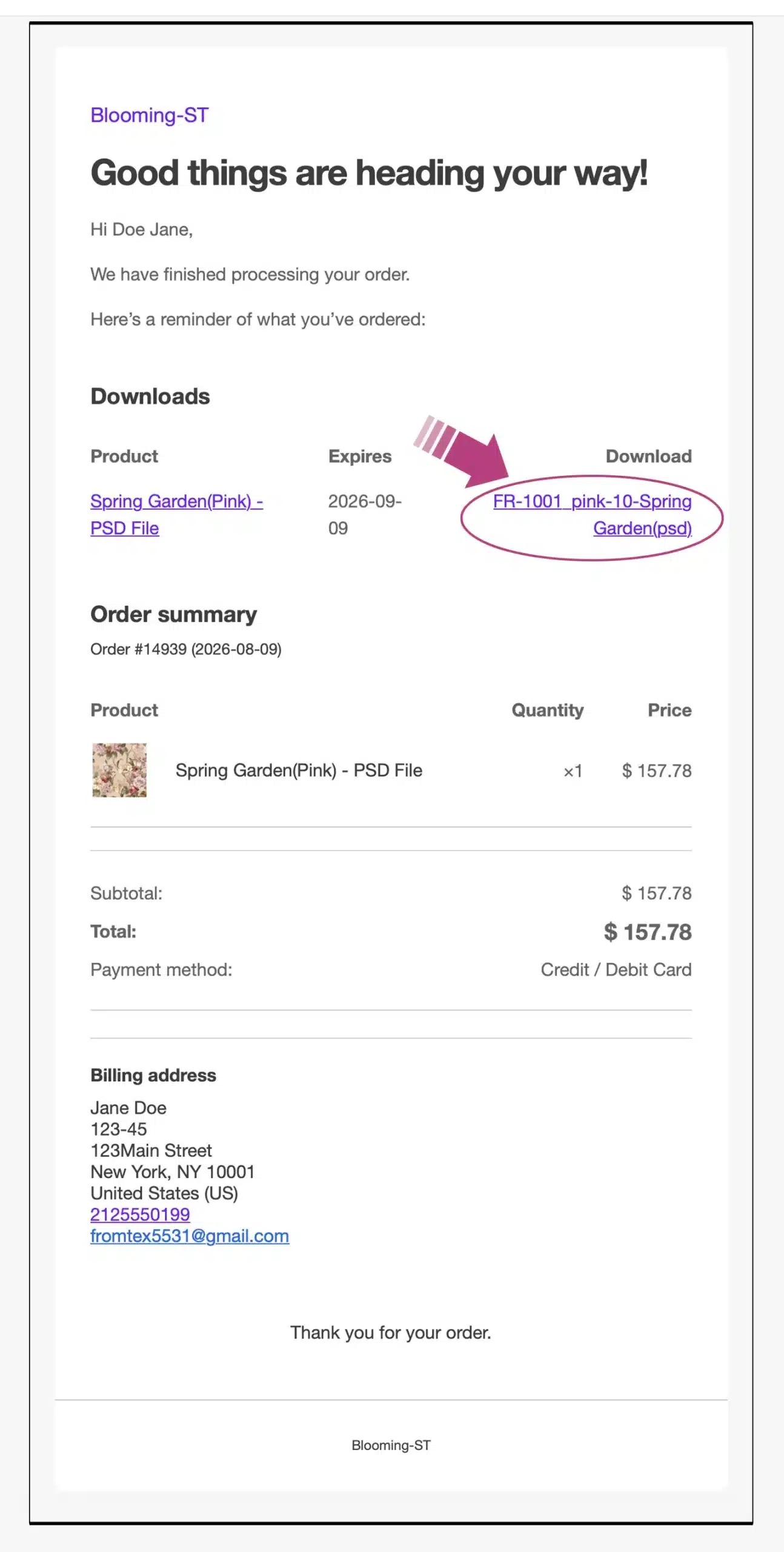
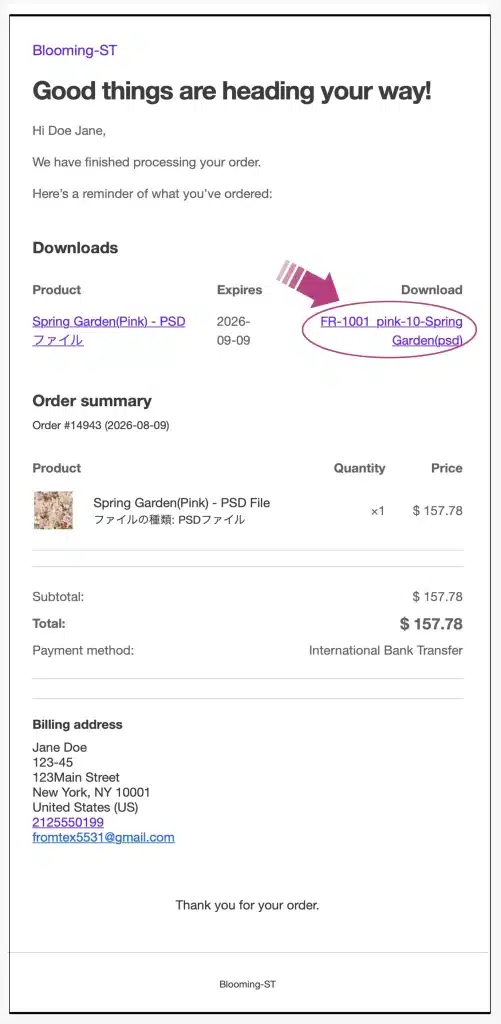
When paying by credit card, a download page (like the one shown at the top left) appears once the purchase process is complete, allowing you to download the files immediately. At the same time, you will receive a confirmation email (like the one shown at the top right) that also provides a link to download the files.
※The download period is 31 days.
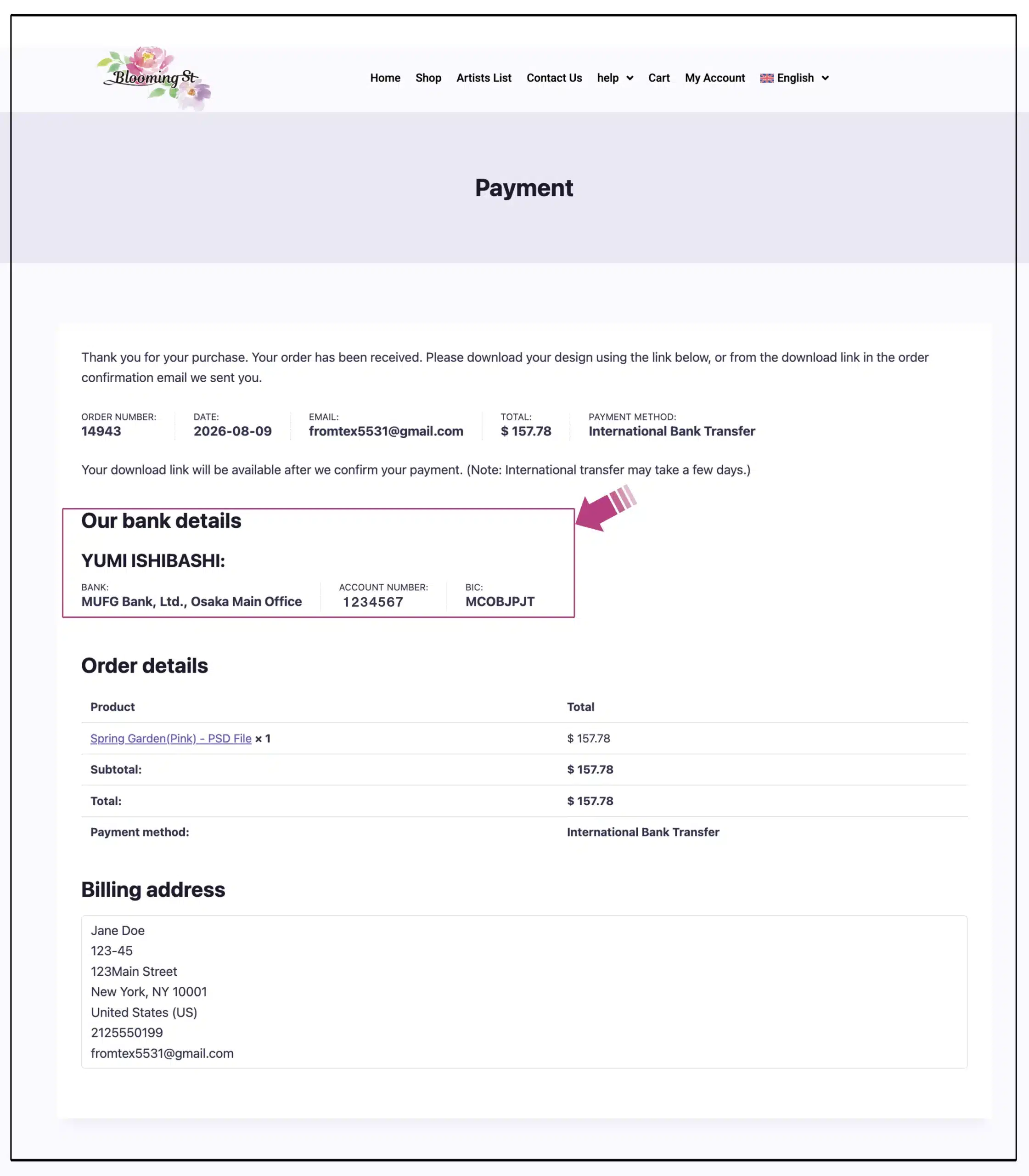
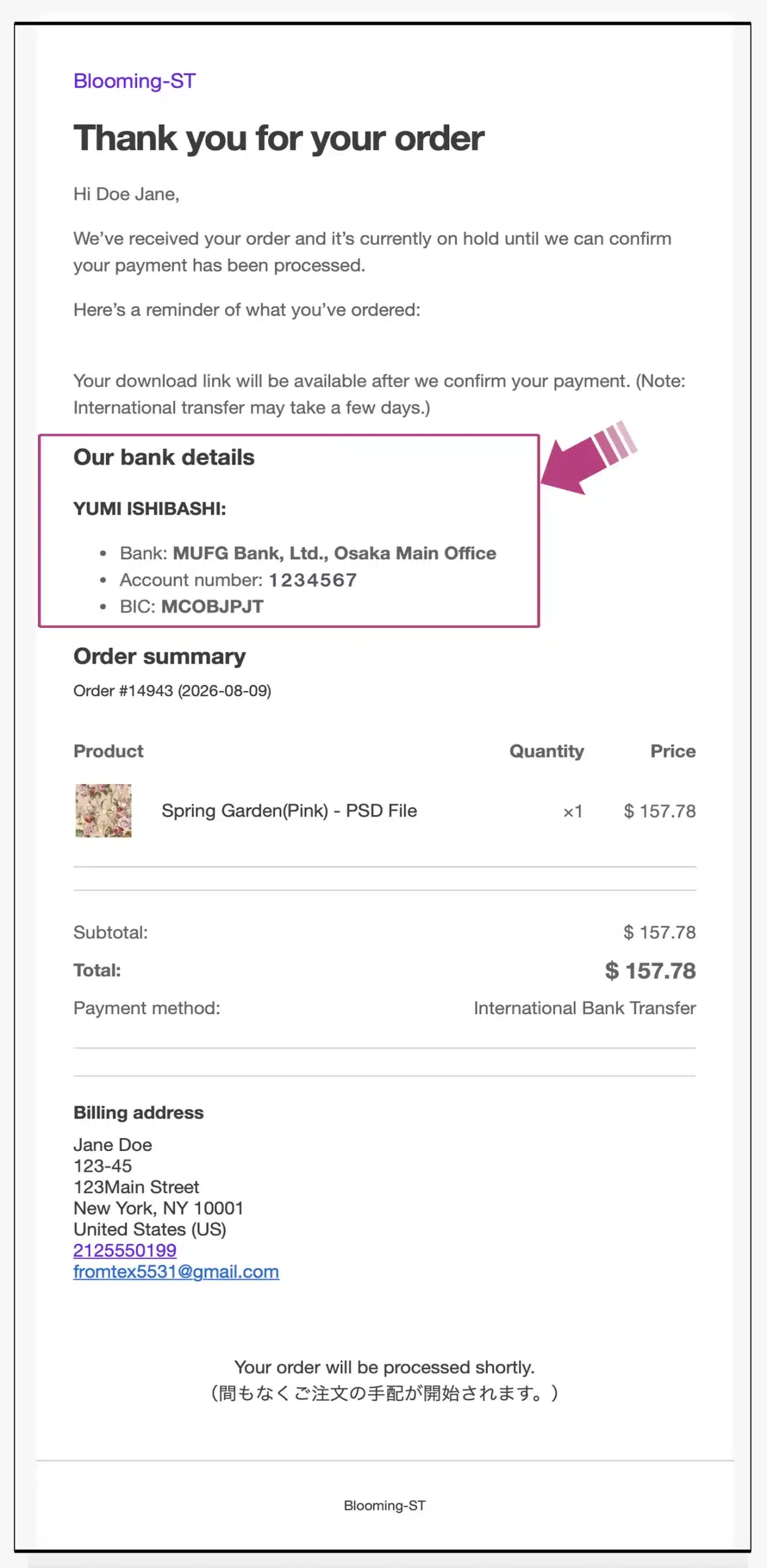
If you choose bank transfer, you will be taken to a page (like the one on the top left) when you click “Place Order”. At the same time, you will also receive a confirmation email (like the one on the top right) with the bank account details. After confirming your payment, we will arrange for you to download the product.
※It may take some time to confirm the transfer.
※Please rest assured that your personal information will be managed appropriately.
After confirming your payment, we will send you a download link via email (as shown above).
※The download period is 31 days.
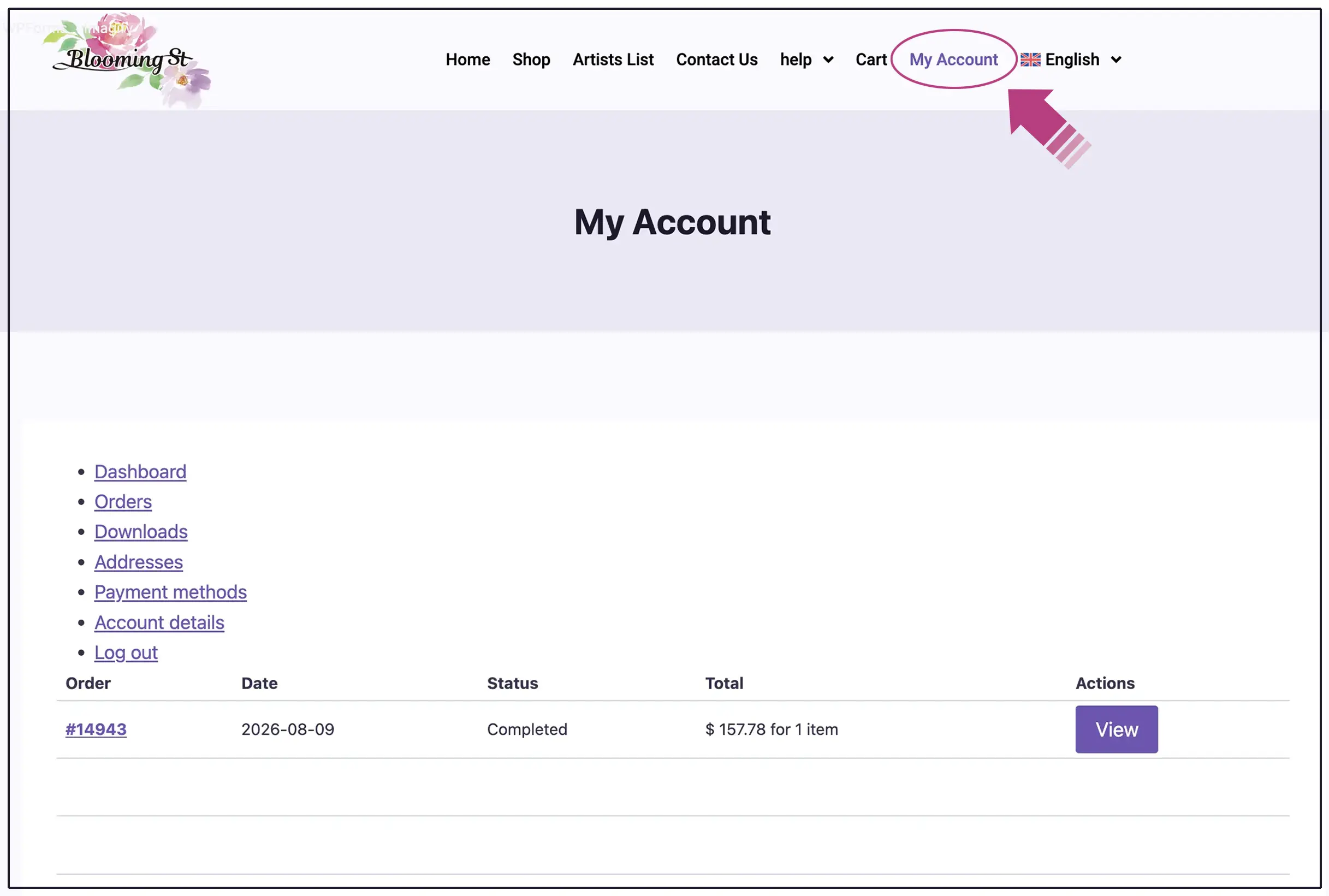
Please click “My Account” in the menu bar and log in. You can check the download status of your purchased products from the My Account page.
※The download is valid for one month.
※The image above is subject to slight changes.